
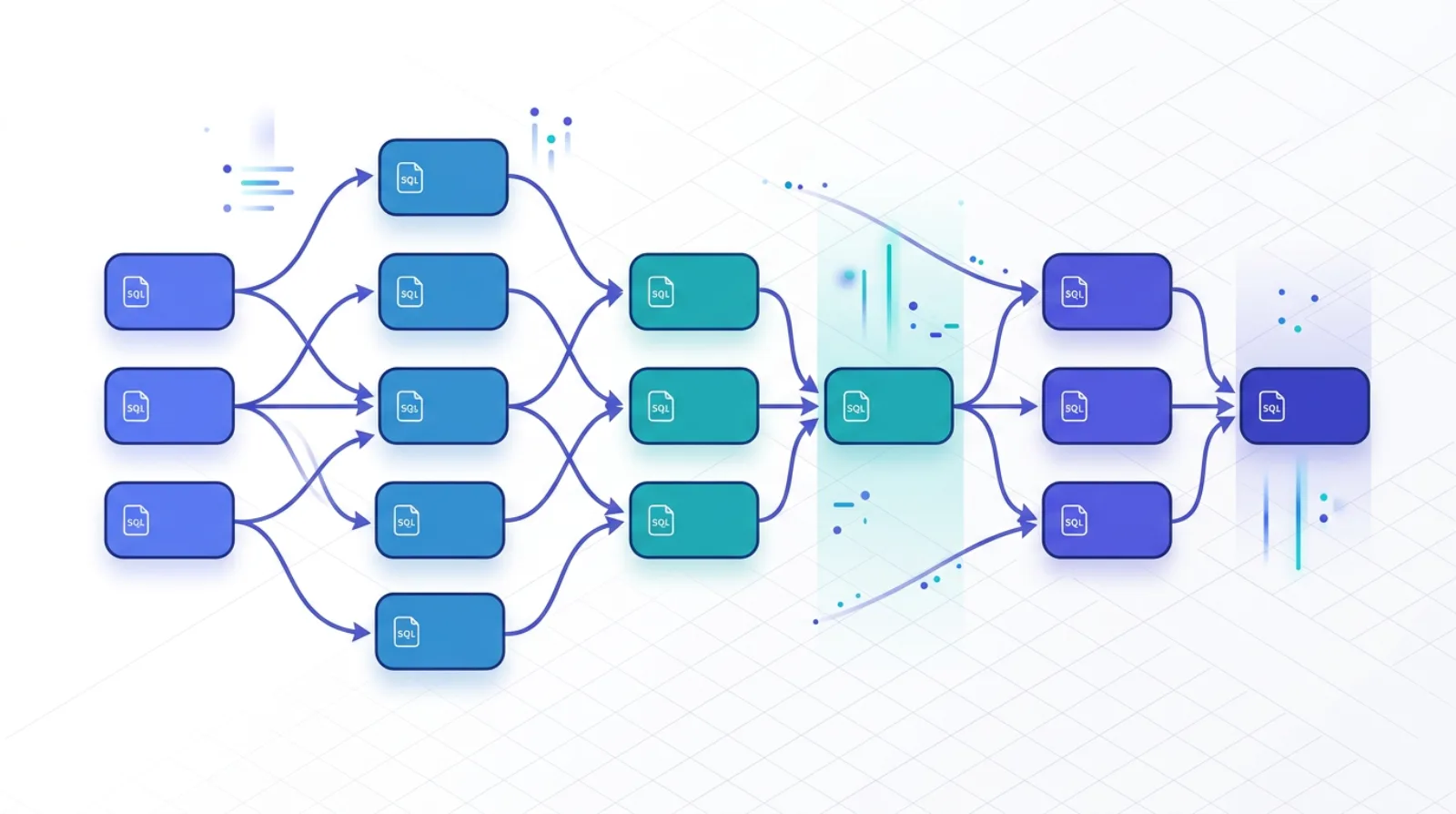
dbtとは何か — Analytics Engineerの誕生とELTの「T」
dbt(data build tool)は、DWH上でSQLを使ってデータ変換パイプラインを構築するためのフレームワークです。 Fishtown Analytics(現・dbt Labs)が2016年にOSSとして公開し、 2026年時点でデータチームの事実上の標準ツールとして定着しています。 公式ドキュメントは docs.getdbt.com で公開されています。
dbtが解いた問題は、「ELT時代の『T(Transform)』を、ソフトウェアエンジニアリング的に扱う」ことです。Fivetran / Airbyte / Stitch といったELTツールが生データをDWHに取り込めるようになった結果、 変換処理(SQL)をどう管理するかが新たな課題になりました。dbtは以下の特徴で答えます。
- SQL + Jinja — 変換ロジックはSQLで書き、Jinjaテンプレートで動的化
- DAG(有向非巡回グラフ) — モデル間の依存を
ref()関数で宣言し、dbtが実行順序を自動解決 - テスト・ドキュメント・リネージを同一リポジトリで管理
- マクロ・パッケージ・マテリアライゼーションで再利用可能
- Git中心のワークフロー — PR・レビュー・CIが前提
dbtの登場と並行して「Analytics Engineer」という職種が生まれました。 データエンジニア(基盤・パイプライン)とデータアナリスト(可視化・分析)の間を埋める役割で、 dbtを中心にDWH層の設計・品質・ドキュメントを担います。 Claire Carroll氏(元dbt Labs)の「What is Analytics Engineering?」が職種定義の源流として広く引用されています。
dbt Core vs dbt Cloud — 選択基準と料金
dbtには Core(OSS・無償) と Cloud(SaaS・有償) の2形態があります。 選択基準は「スケジューリング・権限管理・Semantic Layer APIを自前で作るか、マネージドに任せるか」です。
| 項目 | dbt Core | dbt Cloud |
|---|---|---|
| ライセンス | Apache 2.0(無償) | Developer(無償1席)/ Team / Enterprise |
| 実行基盤 | 自前(Airflow・Dagster・GitHub Actions等) | マネージドスケジューラ内蔵 |
| IDE | VS Code + dbt Power User 等 | ブラウザIDE(コンパイル・プレビュー内蔵) |
| Semantic Layer API | MetricFlow CLI のみ(API無し) | JDBC/GraphQL APIでBI・LLMから参照可 |
| CI/CD | GitHub Actions等で自作 | CI Job・Slim CI・Defer内蔵 |
| 権限・監査 | Git権限+DWH権限で制御 | RBAC・SSO・監査ログ |
| 価格 | $0 | Team: $100/seat/月〜(2026年時点、要確認) |
選択の指針:
- Coreが向くケース:社内にAirflow/Dagster運用基盤がある/Semantic LayerをBIから参照しない/コストを抑えたい
- Cloudが向くケース:スケジューリング・CI・Semantic Layer APIを外部公開したい/Analytics Engineerが1〜3名規模/Enterprise SSO要件
料金は随時改定されるため、最新はdbt Labsの価格ページを確認してください。
プロジェクト構造 — staging / intermediate / marts の3層
dbt Labsが公式に推奨するベストプラクティスは「staging → intermediate → marts の3層モデル」です。 出典: How we structure our dbt projects。
各層の役割と命名規則を整理します。
| 層 | プレフィックス | 役割 | マテリアライゼーション |
|---|---|---|---|
| staging | stg_ | ソース1対1の軽量クレンジング(リネーム・型変換・NULL正規化) | view |
| intermediate | int_ | マート生成のためのロジック分解(JOIN・集計中間・ビジネスルール適用) | ephemeral / view |
| marts(fact) | fct_ | 事実テーブル(注文・イベント・トランザクション) | table / incremental |
| marts(dim) | dim_ | ディメンション(顧客・商品・日付) | table |
典型的なディレクトリ構成:
my_dbt_project/
├── dbt_project.yml
├── profiles.yml
├── packages.yml
├── models/
│   ├── staging/
│   │   ├── shopify/
│   │   │   ├── _shopify__sources.yml      # source定義
│   │   │   ├── _shopify__models.yml       # schema・tests・docs
│   │   │   ├── stg_shopify__orders.sql
│   │   │   ├── stg_shopify__customers.sql
│   │   │   └── stg_shopify__products.sql
│   │   └── ga4/
│   │       └── stg_ga4__events.sql
│   ├── intermediate/
│   │   └── finance/
│   │       ├── int_orders_joined.sql
│   │       └── int_order_items_pivoted.sql
│   └── marts/
│       ├── finance/
│       │   ├── _finance__models.yml
│       │   ├── fct_orders.sql
│       │   └── fct_order_items.sql
│       └── customer/
│           ├── dim_customers.sql
│           └── fct_customer_ltv.sql
├── tests/              # singular tests
├── macros/             # 再利用マクロ
├── snapshots/          # SCD Type 2
├── seeds/              # CSVの静的マスタ
└── analyses/           # 分析用クエリ(実行対象外)
dbt_project.yml では、ディレクトリごとにマテリアライゼーションとスキーマ配置を宣言します。
# dbt_project.yml
name: 'my_project'
version: '1.0.0'
config-version: 2
profile: 'my_project'

model-paths: ["models"]
test-paths: ["tests"]
macro-paths: ["macros"]
seed-paths: ["seeds"]
snapshot-paths: ["snapshots"]
analysis-paths: ["analyses"]

models:
  my_project:
    staging:
      +materialized: view
      +schema: staging
    intermediate:
      +materialized: ephemeral
    marts:
      +materialized: table
      finance:
        +schema: finance
      customer:
        +schema: customer
モデル開発 — ref() / source() / incremental / hooks
source() — 生データの起点
source() はDWHに取り込まれた生データを参照するための関数です。 直接テーブル名をハードコードせず、_sources.yml で定義した論理名を参照することで、スキーマ変更に強く・freshness監視を付けられるというメリットがあります。
# models/staging/shopify/_shopify__sources.yml
version: 2

sources:
  - name: shopify
    database: raw_data
    schema: shopify_prod
    loader: fivetran
    loaded_at_field: _fivetran_synced
    freshness:
      warn_after: {count: 12, period: hour}
      error_after: {count: 24, period: hour}
    tables:
      - name: orders
        description: "Shopify注文テーブル(Fivetran同期)"
      - name: customers
      - name: line_items
ref() — モデル間の依存宣言
モデル同士は {{ ref('...') }} で参照します。 これによりdbtはDAGを構築し、正しい順序で実行します。生テーブル名を直接書かないのが鉄則です。
-- models/staging/shopify/stg_shopify__orders.sql
{{ config(materialized='view') }}

with source as (
    select * from {{ source('shopify', 'orders') }}
),

renamed as (
    select
        id                          as order_id,
        customer_id,
        cast(total_price as numeric)  as total_price_jpy,
        financial_status,
        cast(created_at as timestamp) as ordered_at,
        cast(cancelled_at as timestamp) as cancelled_at
    from source
    where _fivetran_deleted is null
)

select * from renamed
incremental materialization — 増分更新
ファクトテーブルのような大規模データは incremental で差分更新します。is_incremental() マクロで初回フルロードと差分実行を切り替えます。
-- models/marts/finance/fct_orders.sql
{{ config(
    materialized='incremental',
    unique_key='order_id',
    incremental_strategy='merge',
    on_schema_change='append_new_columns',
    cluster_by=['ordered_date']
) }}

with source as (
    select * from {{ ref('stg_shopify__orders') }}

    {% if is_incremental() %}
    -- 直近3日の遅延到着を再計算対象にする
    where ordered_at >= (select coalesce(max(ordered_at), '1900-01-01')
                         from {{ this }}) - interval 3 day
    {% endif %}
),

final as (
    select
        order_id,
        customer_id,
        total_price_jpy,
        financial_status,
        ordered_at,
        date(ordered_at) as ordered_date,
        current_timestamp() as dbt_updated_at
    from source
)

select * from final
incremental_strategy は append / merge / delete+insert / insert_overwrite から選びます。 BigQueryでは merge(小〜中規模)と insert_overwrite(日次パーティション全置換)がよく使われます。 出典: dbt docs: Incremental models。
hooks — 実行前後の副作用
pre_hook / post_hook でモデル実行の前後にSQLを流せます。 権限付与・監査ログ・パーティション管理などに使います。
-- モデル単位
{{ config(
    post_hook=[
        "grant select on {{ this }} to role analyst",
        "analyze table {{ this }} compute statistics"
    ]
) }}

-- dbt_project.yml でプロジェクト全体に適用
models:
  my_project:
    +post-hook: "grant select on {{ this }} to role bi_reader"
テスト — Generic / Singular / Unit Tests
dbtのテストは3種類に分類されます(dbt 1.8以降)。
- Generic tests:再利用可能なデータテスト(
unique・not_null・accepted_values・relationships) - Singular tests:個別SQLで書くデータテスト(
tests/ディレクトリに配置) - Unit tests:モックデータでモデルのSQLロジック自体を検証(dbt 1.8 GA、2024年リリース)
Generic tests — schema.yml で宣言
# models/marts/finance/_finance__models.yml
version: 2

models:
  - name: fct_orders
    description: "確定注文ファクト。cancelled_at IS NULL のみ。"
    columns:
      - name: order_id
        description: "Shopify注文ID(主キー)"
        data_tests:
          - unique
          - not_null

      - name: customer_id
        description: "顧客ID(dim_customersへの外部キー)"
        data_tests:
          - not_null
          - relationships:
              to: ref('dim_customers')
              field: customer_id
              severity: warn

      - name: financial_status
        data_tests:
          - accepted_values:
              values: ['paid', 'pending', 'refunded', 'partially_refunded']

      - name: total_price_jpy
        data_tests:
          - dbt_expectations.expect_column_values_to_be_between:
              min_value: 0
              max_value: 10000000
              severity: error
Singular tests — 個別SQL
tests/ ディレクトリに「違反行を返すSELECT」を書くと、1行でも返ればテスト失敗扱いになります。
-- tests/assert_fct_orders_revenue_matches_source.sql
-- 売上合計が staging と marts で一致することを検証
with source_total as (
    select sum(total_price_jpy) as total
    from {{ ref('stg_shopify__orders') }}
    where financial_status = 'paid'
),
mart_total as (
    select sum(total_price_jpy) as total
    from {{ ref('fct_orders') }}
    where financial_status = 'paid'
)
select
    s.total as source_total,
    m.total as mart_total,
    s.total - m.total as diff
from source_total s, mart_total m
where abs(s.total - m.total) > 1  -- 1円以上の差は失敗
Unit tests — モデルのSQLロジックを検証(dbt 1.8+)
Unit testsはモックデータを差し込んで、モデルのSQL自体が期待通りに変換するかを検証します。 データの中身を検証する従来のテストと役割が異なります。 出典: dbt docs: Unit tests。
# models/marts/finance/_finance__models.yml
unit_tests:
  - name: test_fct_orders_excludes_cancelled
    description: "キャンセル注文は fct_orders に含まれないこと"
    model: fct_orders
    given:
      - input: ref('stg_shopify__orders')
        rows:
          - {order_id: 1, customer_id: 'c1', total_price_jpy: 1000,
             financial_status: 'paid',     cancelled_at: null,
             ordered_at: '2026-04-01 10:00:00'}
          - {order_id: 2, customer_id: 'c2', total_price_jpy: 2000,
             financial_status: 'paid',     cancelled_at: '2026-04-02',
             ordered_at: '2026-04-01 11:00:00'}
          - {order_id: 3, customer_id: 'c3', total_price_jpy: 3000,
             financial_status: 'refunded', cancelled_at: null,
             ordered_at: '2026-04-01 12:00:00'}
    expect:
      rows:
        - {order_id: 1, customer_id: 'c1', total_price_jpy: 1000,
           financial_status: 'paid'}
        - {order_id: 3, customer_id: 'c3', total_price_jpy: 3000,
           financial_status: 'refunded'}
実行は dbt test --select test_type:unit で分離できます。 データテストがDWHに対して走るのに対し、unit testsはDWH上で走らせつつも実データに依存しないため、開発初期でもCIで回せます。
強力なパッケージ — dbt_utils・dbt_expectations
- dbt_utils —
surrogate_key・date_spine・pivotなどのユーティリティマクロ - dbt_expectations — Great Expectationsを移植した60以上のテスト(値域・分布・正規表現・行数比較)
- dbt_codegen — source yaml・base model の自動生成
ドキュメント — YAML・doc blocks・Lineage
dbtの強力な武器のひとつがドキュメントの自動生成です。dbt docs generate → dbt docs serve で、 モデル・カラム説明・SQLコード・テスト・依存グラフを統合した検索可能なWebサイトが立ち上がります。
YAML記述とdoc blocks
短い説明はYAMLに直接、長文や複数箇所で共有したい説明はdoc blocks として切り出せます。
# models/marts/finance/_finance__models.yml
models:
  - name: fct_orders
    description: "{{ doc('fct_orders_overview') }}"
    columns:
      - name: total_price_jpy
        description: "{{ doc('total_price_jpy_def') }}"
<!-- models/marts/finance/docs.md -->
{% docs fct_orders_overview %}
# fct_orders
確定注文のファクトテーブル。粒度は**1行=1注文**。
Shopify Orders API の refund / cancel イベントを反映後の最終状態を表す。
- 更新頻度: 1時間ごと(incremental, merge)
- パーティション: ordered_date (day)
- オーナー: finance-data-team@example.com
{% enddocs %}
{% docs total_price_jpy_def %}
**税込・送料込・割引適用後**の注文合計金額(JPY)。
- Shopify `total_price` をそのまま採用
- マルチカレンシー注文は Shopify 側で JPY 換算済み
- 返品時は fct_refunds で控除して参照すること
{% enddocs %}Lineage Graph(列レベルリネージ)
dbtのLineage Graphはモデル単位でDAGを可視化します。 dbt Cloud や OpenLineage 連携で列レベルリネージも取得可能です。 これは「この指標はどのソースから作られているか」をPdMや監査に説明する際の強力な道具になります。
exposures(下流BIダッシュボードの明示)も記述しておくと、 ソース変更時に影響範囲が一目で分かります。
# models/exposures.yml
version: 2

exposures:
  - name: kpi_dashboard
    type: dashboard
    maturity: high
    url: https://lookerstudio.google.com/reporting/xxxxxxxx
    description: "経営向けKPIダッシュボード(日次更新)"
    depends_on:
      - ref('fct_orders')
      - ref('dim_customers')
      - ref('fct_customer_ltv')
    owner:
      name: Data Team
      email: data@example.com
Semantic Layer — MetricFlowとLLM連携
dbt Semantic Layerは、指標(Metric)の定義をYAMLで一元化し、 BI・LLM・アプリから共通のAPIで参照できるレイヤーです。 2023年の MetricFlow 統合以降、dbt Cloudで本格展開されています。 出典: dbt docs: About MetricFlow。
基本構成要素
- Semantic Model:モデルに対してエンティティ・ディメンション・メジャーを宣言
- Metric:メジャーを使った指標定義(simple / ratio / derived / cumulative / conversion)
- Time Spine:時間軸の基準テーブル(MetricFlowの前提)
最小構成の例
# models/semantic/sem_orders.yml
semantic_models:
  - name: orders
    defaults:
      agg_time_dimension: ordered_at
    model: ref('fct_orders')

    entities:
      - name: order_id
        type: primary
      - name: customer_id
        type: foreign

    dimensions:
      - name: ordered_at
        type: time
        type_params:
          time_granularity: day
      - name: financial_status
        type: categorical

    measures:
      - name: total_revenue_jpy
        agg: sum
        expr: total_price_jpy
      - name: order_count
        agg: count
        expr: order_id

metrics:
  - name: revenue
    label: 売上(税込)
    description: "税込・送料込・割引適用後の確定注文売上"
    type: simple
    type_params:
      measure: total_revenue_jpy

  - name: orders_paid
    label: 決済完了注文数
    type: simple
    type_params:
      measure: order_count
    filter: "{{ Dimension('orders__financial_status') }} = 'paid'"

  - name: aov
    label: 客単価(AOV)
    type: ratio
    type_params:
      numerator: revenue
      denominator: orders_paid
LLM連携のポイント
dbt Semantic Layer が LLM と結びつく理由は3つあります。
- 決定論的クエリ生成:LLMは「metric名・dimension・time grain」を指定するだけで、 実SQLはMetricFlowが生成。LLMがSQLを書き間違えるリスクを排除
- GraphQL / JDBC API:dbt Cloudが公開するAPI経由で、 アプリケーション・BI・LangChain Tool からメトリクスを呼べる
- 指標定義の一元化:「売上」が何を意味するかをYAMLで唯一の真実として管理
詳細は 「AI Readyデータ基盤の本質」 で Semantic Layer と Ontology の役割整理も併せて扱っています。
dbt Mesh — 複数プロジェクトとcontract・public model
プロジェクトが成長するとモノリポジトリの限界が見えてきます。dbt Meshは、複数のdbtプロジェクトをまたいでmodel contract・access modifier・model versioningを用いて安全に連携させる仕組みです(dbt 1.6以降で段階的に導入)。 出典: dbt docs: About dbt Mesh。
3つの主要機能
- Model contracts:モデルのスキーマ(列・型・constraint)を明示的に保証。 契約違反のPRはCIで落ちる
- Model access:
private/protected/publicで プロジェクト間参照を制御 - Model versions:
fct_orders_v1/fct_orders_v2を並行運用し、破壊的変更を段階移行
# 上流プロジェクト: platform_dbt
# models/marts/_finance__models.yml
models:
  - name: fct_orders
    access: public             # 他プロジェクトから参照可能
    latest_version: 2
    config:
      contract:
        enforced: true         # スキーマ契約を強制

    columns:
      - name: order_id
        data_type: string
        constraints:
          - type: not_null
          - type: unique
      - name: customer_id
        data_type: string
        constraints:
          - type: not_null
      - name: total_price_jpy
        data_type: numeric
        constraints:
          - type: not_null

    versions:
      - v: 1
        deprecation_date: 2026-12-31
      - v: 2
# 下流プロジェクト: analytics_dbt
# dependencies.yml(dbt Meshのクロスプロジェクト参照)
projects:
- name: platform_dbt
# モデル内部では cross-project ref を使う
# models/marts/fct_customer_ltv.sql
select
customer_id,
sum(total_price_jpy) as lifetime_value
from {{ ref('platform_dbt', 'fct_orders') }} -- クロスプロジェクト参照
group by customer_idMeshはモノリスからの分割を強制するものではありません。複数チームがAnalytics Engineeringを並行運用する規模(目安: 10名超・500モデル超)で初めて検討するのが現実的です。
CI/CD — GitHub Actions・slim CI・defer
dbtはソフトウェアエンジニアリング的運用が前提のため、CI/CDは必須です。 主要なパターンを紹介します。
最小構成:PRごとにbuild + test
# .github/workflows/dbt-ci.yml
name: dbt CI

on:
  pull_request:
    branches: [main]

jobs:
  dbt-build:
    runs-on: ubuntu-latest
    env:
      DBT_PROFILES_DIR: ./
      BQ_KEYFILE: ${{ secrets.BQ_KEYFILE }}
    steps:
      - uses: actions/checkout@v4
        with:
          fetch-depth: 0

      - uses: actions/setup-python@v5
        with: {python-version: '3.11'}

      - name: Install dbt
        run: pip install dbt-bigquery==1.8.*

      - name: dbt deps
        run: dbt deps

      - name: dbt build (Slim CI + defer)
        run: |
          dbt build \
            --select state:modified+ \
            --defer --state ./prod-artifacts \
            --fail-fast
Slim CI と Defer の考え方
本番の完全ビルドは時間もコストもかかります。 Slim CIは「PRで変更されたモデルとその下流だけを再構築」するテクニックです。
- state:modified+ — 変更されたモデルとその下流を対象化
- --defer — 未変更モデルの参照を本番環境のテーブルに委譲
- --state — 本番の
manifest.jsonとの差分を取る
CIのたびに完全ビルドするとBigQuery課金が跳ねるので、 Slim CI + Deferは実質的に標準テクニックです。 出典: dbt docs: Best practice workflows。
本番デプロイ
# .github/workflows/dbt-deploy.yml
name: dbt Deploy (prod)

on:
  push:
    branches: [main]
  schedule:
    - cron: '0 * * * *'  # 毎時

jobs:
  dbt-run-prod:
    runs-on: ubuntu-latest
    concurrency: dbt-prod   # 並列実行防止
    steps:
      - uses: actions/checkout@v4
      - run: pip install dbt-bigquery==1.8.*
      - run: dbt deps
      - run: dbt source freshness
      - run: dbt build --target prod --exclude tag:nightly
      - name: Upload manifest for Slim CI
        uses: actions/upload-artifact@v4
        with:
          name: prod-artifacts
          path: target/manifest.json
よくある失敗 — staging飛ばし・ref放棄・incremental誤用
失敗1:staging層を飛ばす
「軽量クレンジングなんて要らない」と生テーブルから直接マートを作ってしまうパターン。 ソースのスキーマ変更が全マートに直接波及し、改名・型変更のたびに全モデルを書き換える羽目になります。stagingは「ソース1対1の薄い緩衝材」として必ず置く。
失敗2:ref() をやめて source() を直接使う
{{ source('raw', 'orders') }} をマート層で直接参照してしまうと、 DAGが分断されリネージが壊れ、テストの波及も効かなくなります。 source() は staging のみ、mart / intermediate では必ず ref() を使う。
失敗3:incremental の merge戦略ミス
unique_key を指定し忘れて重複が積み上がる、あるいは 遅延到着データを拾うウィンドウ(>= max(ordered_at) - interval 3 day 等)を 入れ忘れてデータ欠損が起きるのが典型事故。 初回は必ず dbt run --full-refresh との差分を検証します。
失敗4:テスト不足でDAGが腐る
unique と not_null すら貼らないまま運用を続けると、 ダッシュボードに謎のNULL・重複が出てから初めて気付くことに。 最低限、主キーにunique+not_null、外部キーにrelationships、 金額系にdbt_expectationsで値域を貼るのが2026年の標準です。
失敗5:`ref()` の循環依存
int層を間に挟まずにmart同士が相互参照すると、dbtはコンパイルエラーを返します。 正しくは「mart → int → staging → source」の一方向DAGを維持すること。
失敗6:Snapshot を使わずSCDを自作する
顧客のステータス遷移などSlowly Changing Dimension (SCD Type 2)が必要な場合は、自力でLEFT JOIN+ROW_NUMBERで再発明せず、snapshots/ と dbt snapshot を使います。 出典: dbt docs: Snapshots。
まとめ
- dbtはELTの「T」をソフトウェアエンジニアリング化するフレームワーク。 SQL + Jinja + DAG + テスト + ドキュメントを単一リポジトリで扱う
- CoreはOSS・自前運用、Cloudはスケジューラ・CI・Semantic Layer APIをマネージドで提供。 チーム規模・BI/LLM連携要件で選ぶ
- プロジェクト構造は staging(stg_)→ intermediate(int_)→ marts(fct_/dim_) の3層+ 命名規則を徹底する
- モデル開発は
ref()・source()でDAGを宣言し、 大規模ファクトはincremental + mergeで差分更新 - テストはGeneric / Singular / Unitの3種類。 dbt 1.8のUnit testsはモックでSQLロジック自体を検証できる画期的機能
- ドキュメントは YAML + doc blocks + exposures + Lineage Graph で「指標はどこから来たか」を監査可能に
- Semantic Layer(MetricFlow)で指標を一元化すると、 BI・LLM・アプリから共通API経由で呼べ、Text-to-SQLの精度も大きく向上する
- 複数チーム・500モデル超なら dbt Mesh(contract / access / version)で クロスプロジェクト参照を安全化
- CI/CDはSlim CI + Deferが標準。本番manifestとの差分で変更モデルのみ再ビルド
- よくある失敗は、staging飛ばし・ref放棄・incremental誤用・テスト不足・mart相互参照の5パターン。 2026年時点の「最低限」を満たすだけでもDAG品質は大きく変わる
dbtは道具の使い方だけで完結しません。AI Readyデータ基盤としての Semantic Layer・Ontology・MCP 設計や、 BigQuery運用面でのコスト最適化と組み合わせて初めて、LLM時代のデータ基盤として機能します。